
Swap your whole bodyinto any video
One photo is enough. oVideo replaces the person in the clip with you, head to toe: your face, your hair, your build and the outfit from your photo. The moves, the camera and the original sound stay exactly as they were.
From 19 credits per second
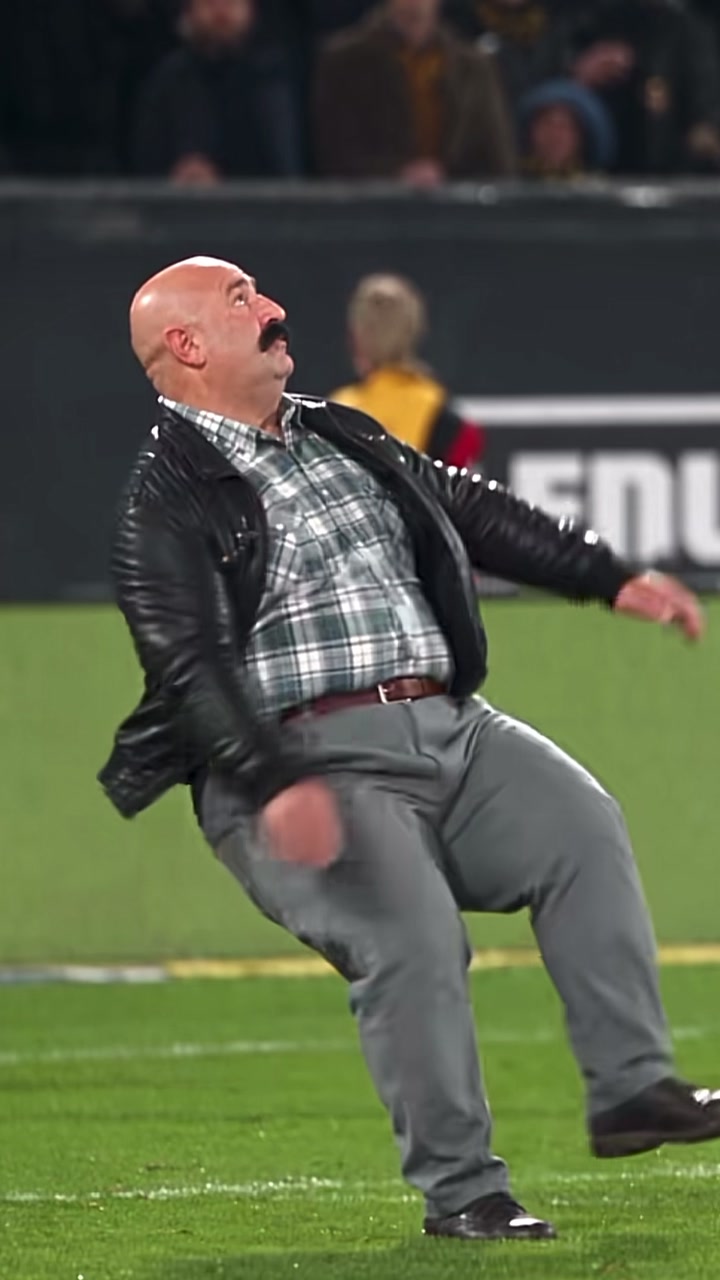
Original player top left, the body swapped video behind it.
At a glance
AI body swap: the facts
- Input
- One video and one full body photo (waist up also works)
- Clip length
- Upload up to 60 seconds and 200 MB, then swap any 3 to 15 seconds
- Resolution
- 720p or 1080p, in the shape of your clip (vertical or landscape)
- Sound
- The original audio is added back automatically, in sync. No editing needed
- What changes
- The whole person: face, hair, build, clothes and shoes from your photo
- What stays
- Every move, the camera, the background and the timing
- Price
- 19 credits per second at 720p, 26 at 1080p, or one video from $1.99 with no plan. Shown before you create; failed videos are refunded
- AI model
- Kling 3.0 Omni, run in the browser. No app to install
What changes, what stays
A new body, the same moment
From your photo
- Face and expression
- Hair and hairline
- Height and build
- Clothes and shoes
From the video
- Every move and its timing
- Camera angles and cuts
- Background and lighting
- The original sound
How it works
Body swap a video in three steps
- 01
Upload the video
A clip up to 60 seconds where one person moves: a trick, a dance, a goal, a catwalk. Pick the 3 to 15 seconds you want.
- 02
Add a full body photo
Standing, one person, face visible. The clothes and shoes in the photo are the ones you get in the video.
- 03
Create
The AI runs your body through the same motion and camera, then puts the original sound back. It lands in your gallery when ready.
Ideas
What people body swap into
- Moves you cannot do. Backflips, bicycle kicks and dunks, done by you or by the least athletic friend you have.
- Dance trends. Your whole body in the choreography, outfit included, without a single rehearsal.
- Outfit and style tests. See how a look moves on you by swapping a photo in that outfit into a walking clip.
- Creator and brand clips. Reuse one strong performance with different presenters, mascots or characters.
No clip of your own?
Start from a viral AI video trend
Full body templates for one or two people: add a photo per person and press create.
Answers
Frequently asked questions
- What is an AI body swap?
- An AI body swap replaces the whole person in a video with someone from a photo: face, hair, body shape and clothes. The movement, the camera and the background come from the original clip, so the new person does exactly what the original one did.
- How do I swap my body into a video?
- Upload the video to oVideo, pick 3 to 15 seconds, add one full body photo of yourself and press create. The AI moves your body through every step of the clip and adds the original sound back.
- Does my body shape change to match the original?
- No. Your build comes from your photo, so a tall person stays tall and a broad person stays broad. Only the motion is copied: the run, the jump, the dance or the pose.
- Do I need a full body photo?
- It gives the best result, because the AI sees your build, clothes and shoes. A waist up photo also works; then the AI fills in the rest to match.
- Can I swap two people at once?
- With your own video, one person is swapped per video. For two people, use a duo template such as the Alors on Danse sketch or the rap duo, where you add one photo per person.
- How much does an AI body swap cost?
- It is priced per second of video: 19 credits per second at 720p and 26 credits per second at 1080p. A 10 second body swap at 720p is 190 credits. The price shows before you create, and failed videos are refunded automatically. No plan? You can buy a single video once, from $1.99 for 3 seconds up to $7.99 for 15 seconds at 720p.
- Is a body swap the same as a face swap?
- No. A face swap changes only the face and keeps the original body, hair and clothes. A body swap replaces all of it, which is why the result looks like a real recording of the new person.
- Can I body swap anyone?
- Only people who agreed to it. Before every video you confirm that you have permission from the person in the photo. The AI safety filter also refuses some photos, such as famous people or sensitive content; then no video is made and the credits are refunded.
Related
- AI face swap videoPut your face into any clip with one photo.
- AI character swapReplace anyone in a video with someone new.
- AI dance videoMake yourself dance from one photo.
- AI video trendsReady made viral templates for one or two people.
- Viggle AI alternativesFive swap tools compared, prices checked October 2026.
Swap your body into a video
Upload a clip, add one full body photo and get the video back with its original sound.