
Bécane AI trend:your face on the red COLORS stage
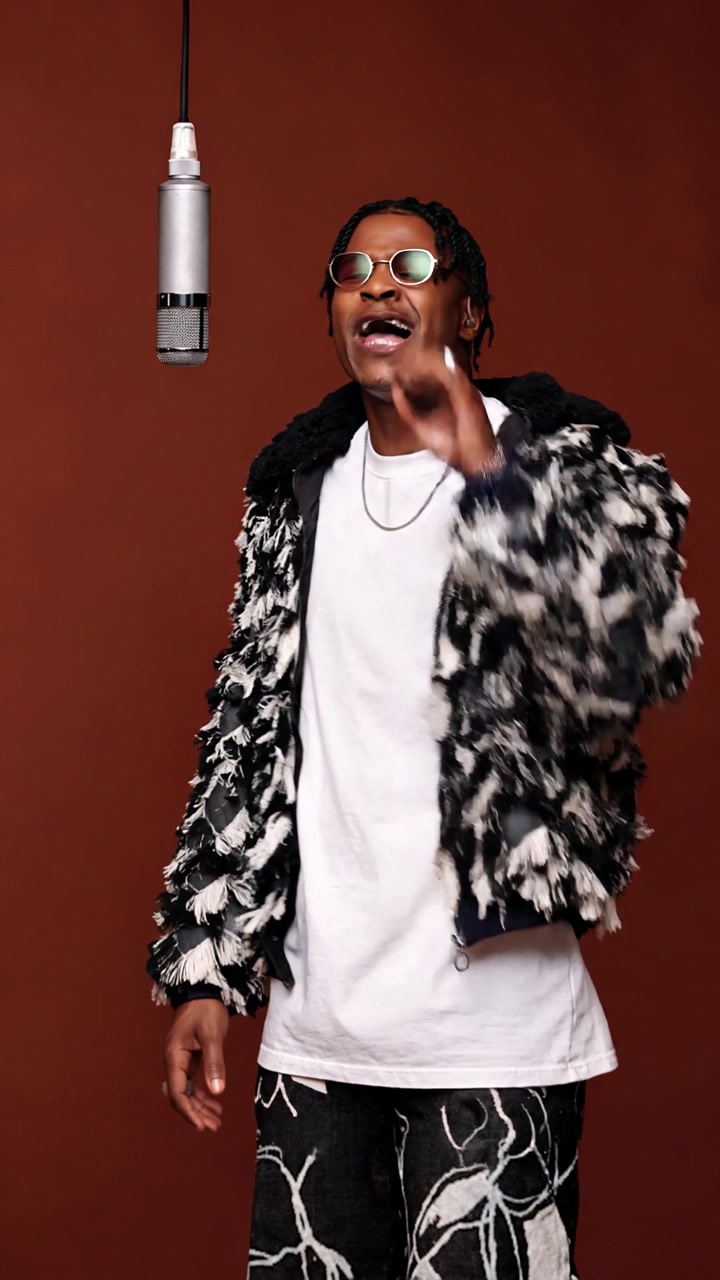
Upload one photo and oVideo turns you into the singer of the Bécane COLORS performance: the red backdrop, the studio microphone, the camera cuts and the song stay, and your lips move with the lyrics.
285 credits · about $7.13 on Starter
Example result made with this template. Tap to unmute.
The trend
What is the Bécane AI trend?
Yamê performed "Bécane" in a COLORS studio session in 2023, alone in front of a red wall with a single microphone. The clip went viral, the song topped Spotify's Viral 50, and the performance became one of the most recognisable COLORS videos.
The AI version keeps that performance and changes the singer. People put in themselves, their dad, their boss or a character that could never sing, and the contrast with the soulful vocal is the joke.
oVideo uses 15 seconds of the original vertical clip, keeps the camera shots and cuts, and keeps the lip sync with the song.
How to
How to make the Bécane AI trend
- 01
Open the template
Sign in to oVideo and open the template. You can watch the original clip and an example result first.
- 02
Add your photo
Upload one clear photo of the person who should star in the video.
- 03
Create and share
Press create. The 15 second video with the original song is ready in a few minutes, saved to your gallery.
Which photo works best
- Use a clear photo of one person with the face fully visible.
- A half body or full body photo gives the best result, because the jacket and clothes come from your photo.
- Avoid group photos: the AI needs to know exactly who the singer is.
Answers
Frequently asked questions
- How do I make the Bécane AI video?
- Open the Bécane studio singer template on oVideo, upload one photo, confirm the person in it agreed, and press create. You get a vertical 15 second video with the original song.
- Will my face lip sync to the song?
- Yes. The template asks the model to keep the lip sync with the song, so the mouth movement follows the original performance.
- Is it vertical for TikTok and Reels?
- Yes, the video is 9:16, ready for TikTok, Instagram Reels and YouTube Shorts.
- How much does it cost?
- The 15 second video costs 285 credits (19 credits per second). On the Starter plan that is about $7.13, and less on larger plans. Failed generations are refunded automatically.
More trends
Other AI video trends
Make your Bécane AI trend video
Add your photo, press create and post it while the trend is hot. 285 credits for 15 seconds.